Project View
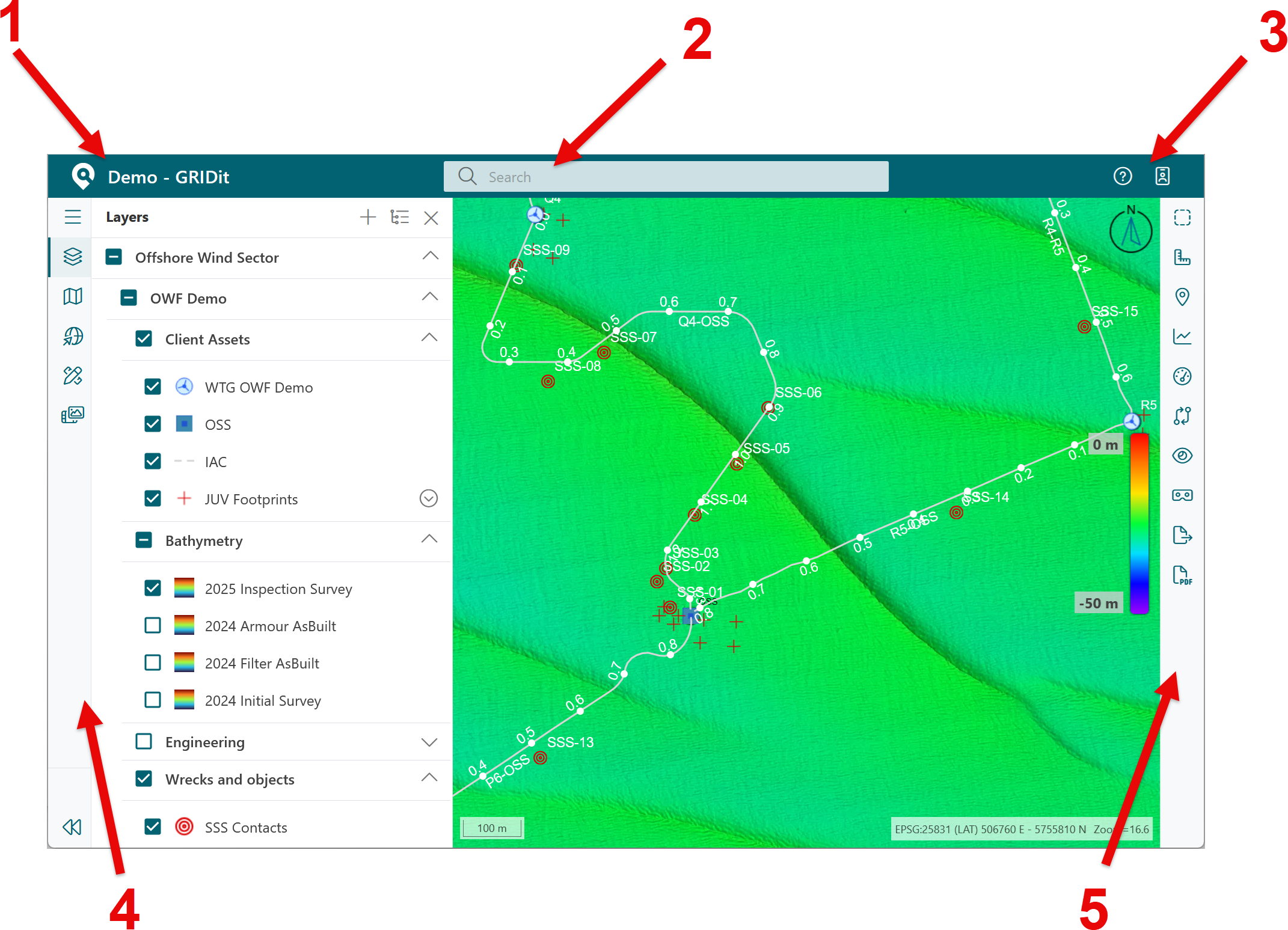
The user interface consists of a few elements
- Project access - select to access other projects in your organization.
- Search Box - user can search for features that have been configured to be searchable.
- Information - access to user manual and user profile.
- Left sidebar - can access various sources of data. The layer manager is selected by default.
- Tools sidebar - access to tools (referred to as the toolbar).