
Adding KP signage to cable/pipeline data in QGIS
In order to use full functionality within GRIDit (display KP signage on cables/pipelines), cable/pipeline routes need to be a 3D line (XYZ) and have KP values embedded as measure (M).
A QGIS Plugin (XYZKP to 3D Line Plugin) has been built by Periplus Solutions to be used in QGIS to create the routes. The Plugin can be installed from ZIP.
1. Install QGIS Plugin
- Open QGIS Go to Plugins → Manage and Install Plugins…
- Click the button “Install from ZIP”: You’ll find it in the lower-left corner
- Select the ZIP file: Choose: xyzkp_to_3d_line_Plugin
- Click “Install Plugin”: QGIS will unpack it and install it.
- Activate the Plugin: After installation, ensure the checkbox is enabled
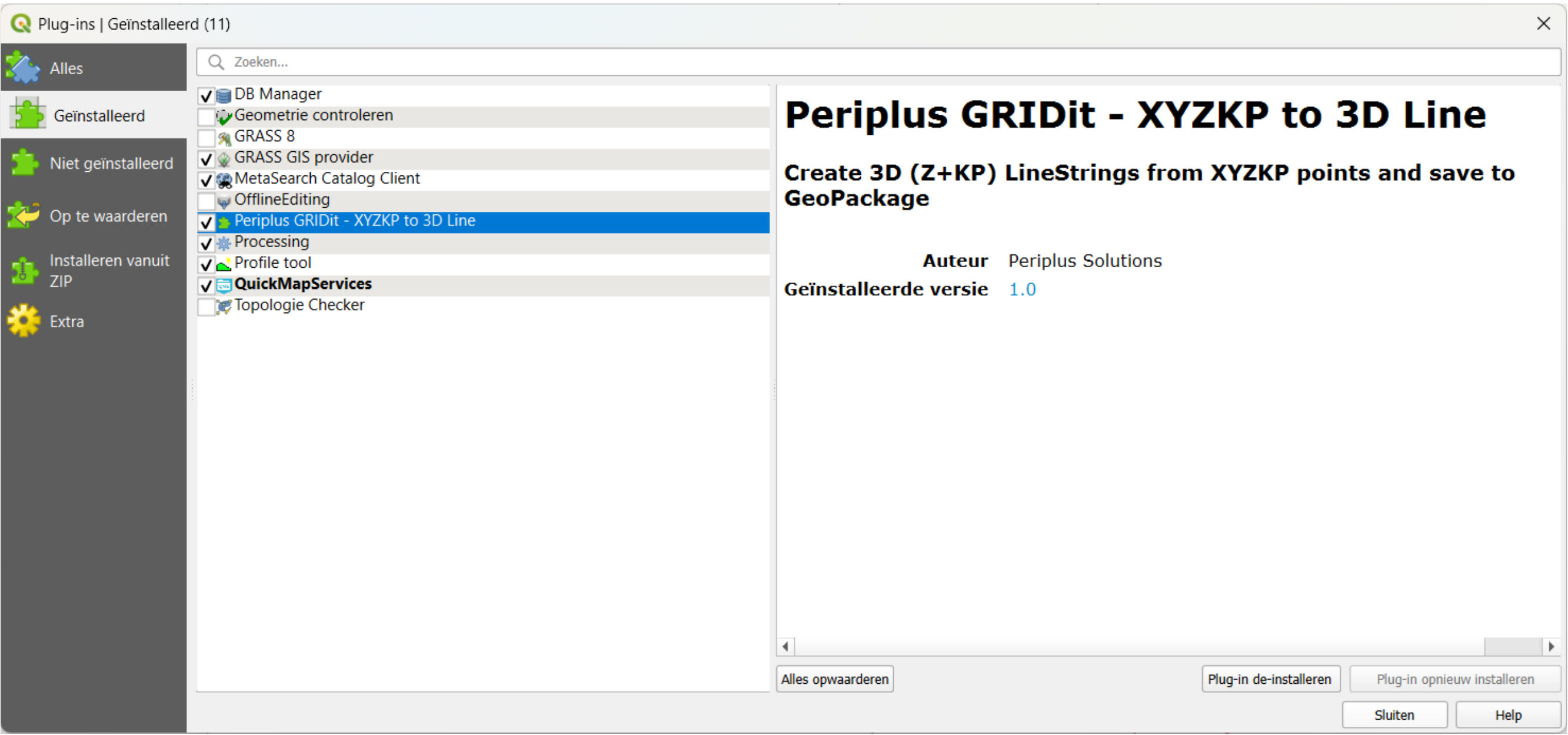
2. Run the plug-in
To add the plug-in to the toolbar: Menu bar / Plugins / Periplus / GRIDit → XYZKP to 3D Line incl. KP
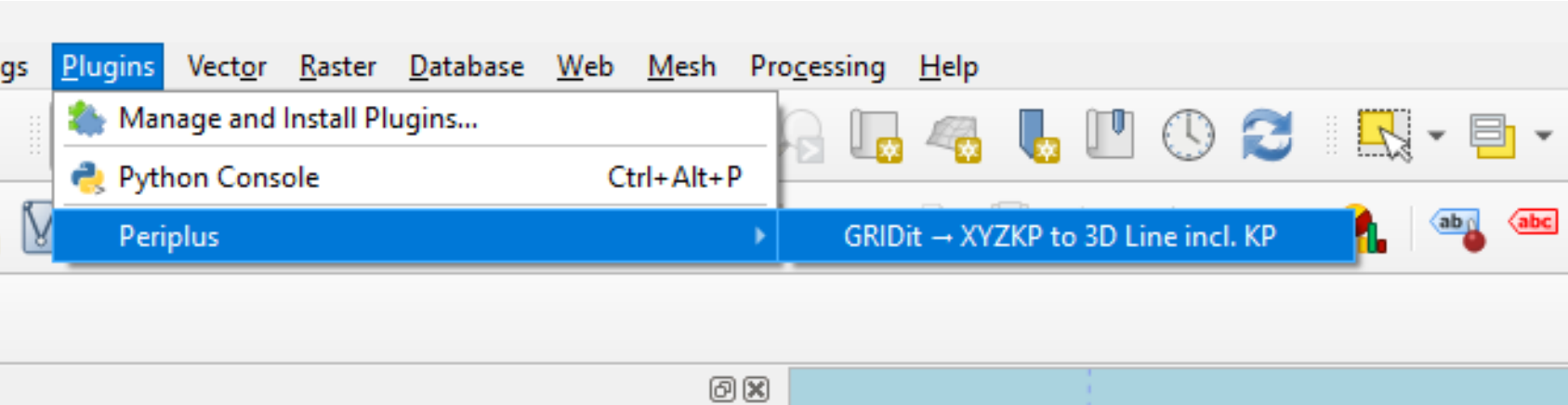
To open the tool: Select ot from the toolbar:
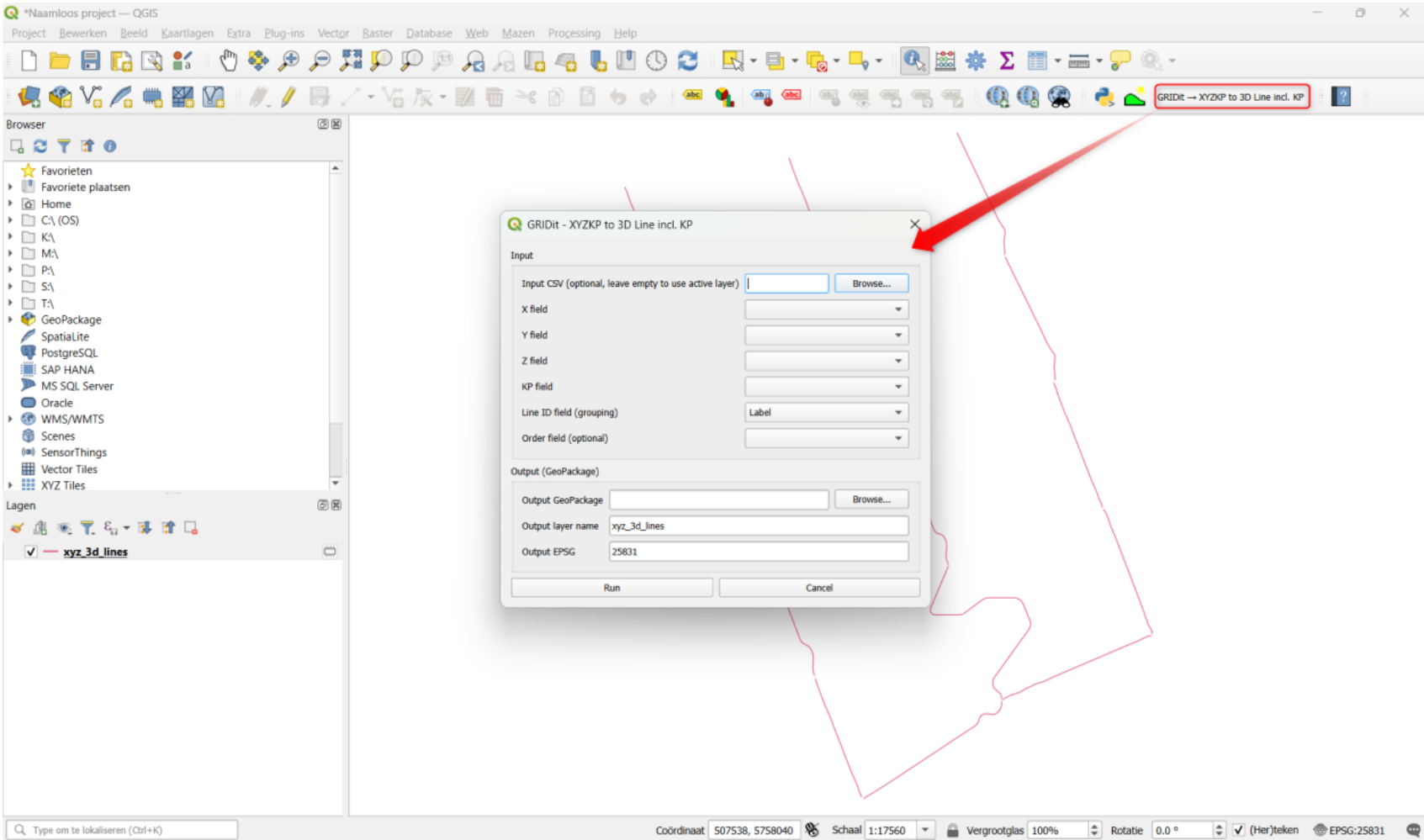
3. Add the KP distance to cable/pipeline
The input CSV for the QGIS Plugin can be something as shown below. In this CSV the start of a cable route is defined in a 1 meter intervals. Reducing the interval will give more details on the actual position of the pipeline/cable. It is adviced to use ‘name’ as attribute containing the cable name. If this is not the case the correct attribute name containing the name needs to be configured in GRIDit.
DRAFT book has the up to date version.
a